May 23, 2026
Image Composer: a real layer editor, in the browser
Generated images almost never arrive finished. This is where you crop, grade, caption and composite them without opening another app.
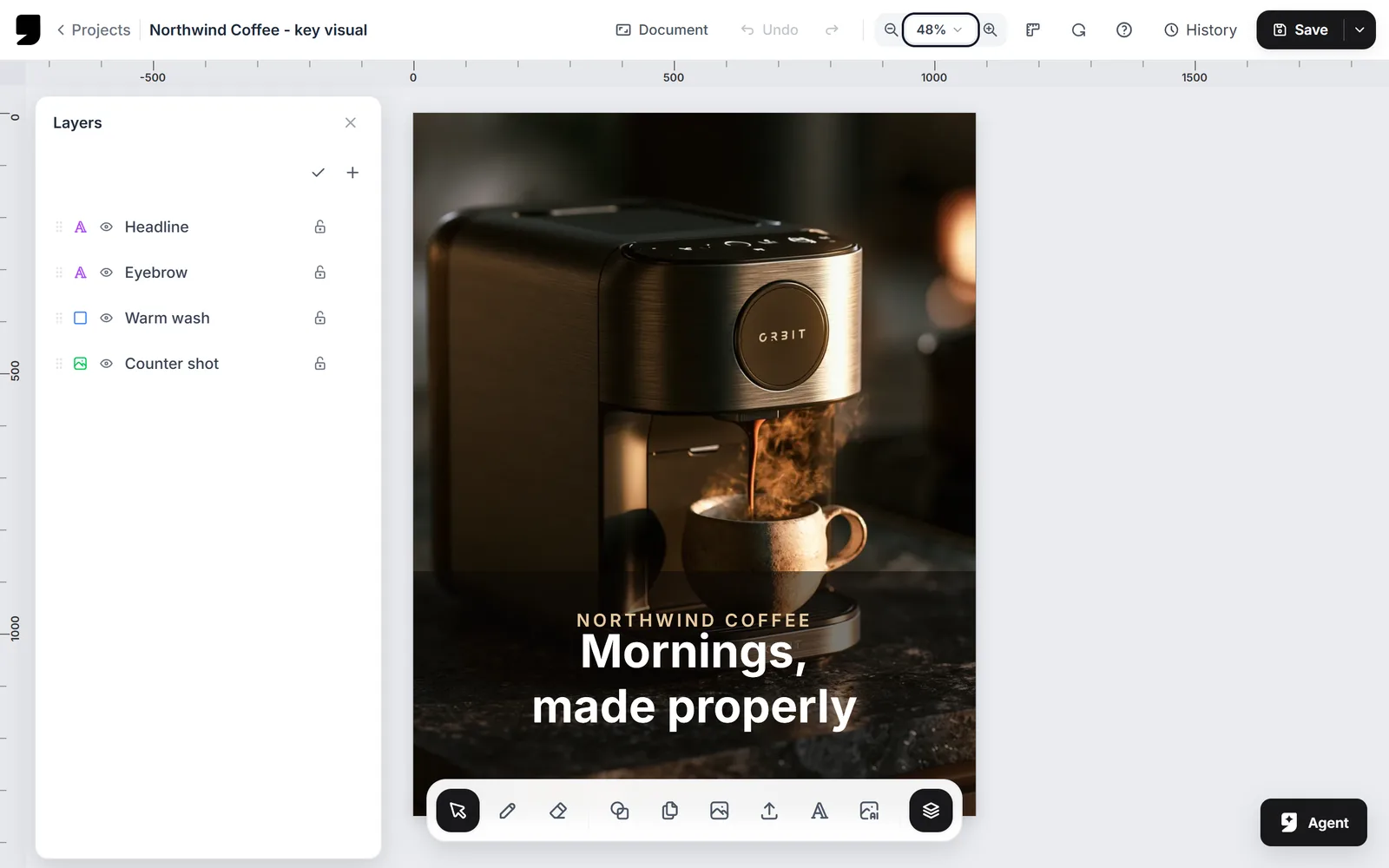
A model hands you a picture. Turning that picture into something you can actually deliver is a completely different job. It has to be cropped to a format, graded to match the campaign, captioned, and layered over a product shot. Until now it meant leaving genvi to do it.
Layers, and everything that comes with them
Images, text and shapes stack as real layers, each with its own position, opacity and blend mode. Select one and its properties appear. Drag one and it snaps against the other layers and against the canvas edges. Crops are non-destructive, so changing your mind later is a change of numbers and not a re-import.
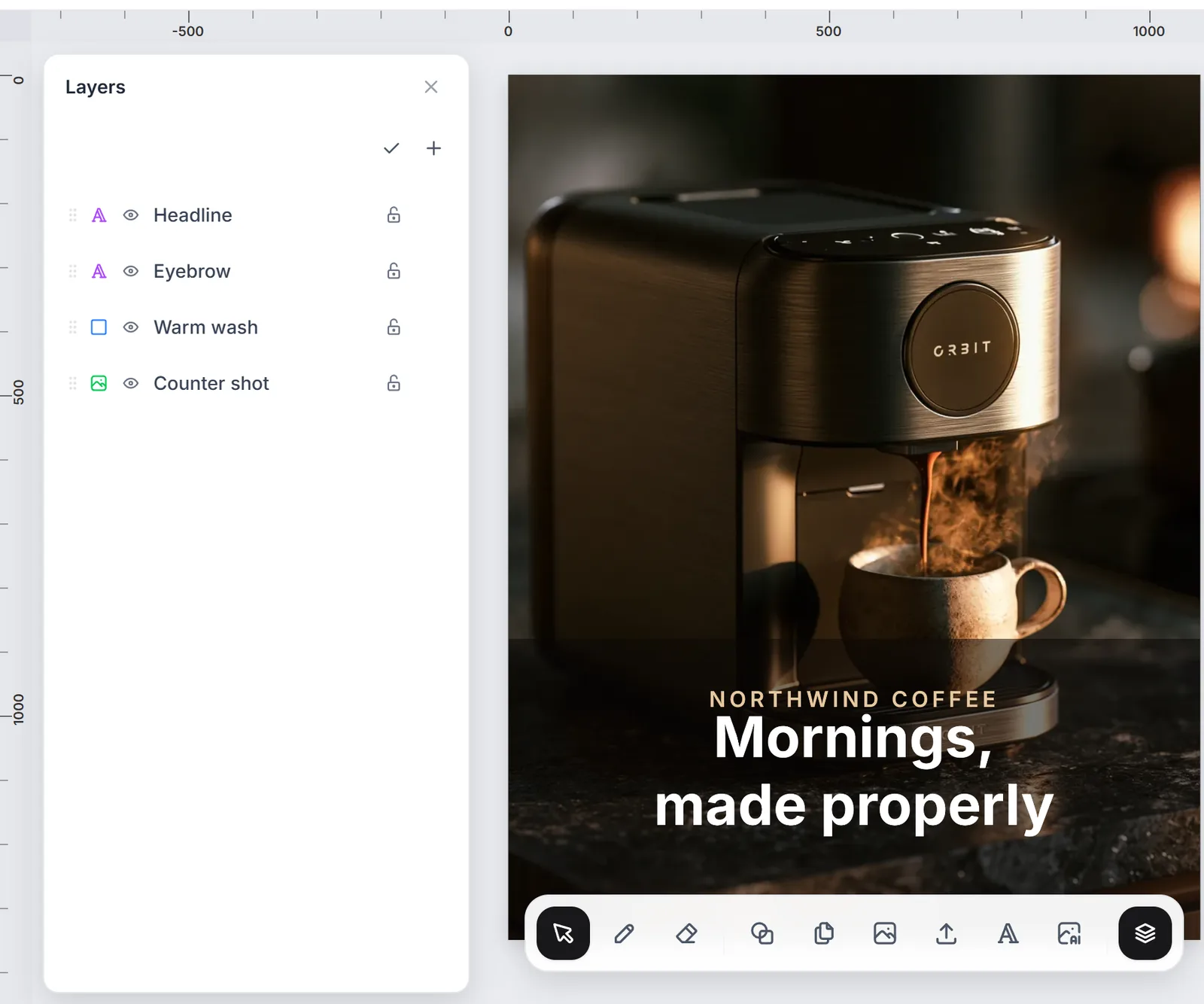
The dock keeps your content libraries, your layer stack and the selected layer's properties in one column.
Text that behaves like design software
Set type on a curve. Adjust letter spacing and line height. Fill with a gradient. Add a shadow or an outline, each with its own colour, size, opacity and angle. Text is measured properly, so swapping a font re-measures the line instead of guessing and leaving you with an overlapping mess.
Adjustments and looks
- Brightness, contrast, saturation, hue, blur, sepia, grayscale and invert on any image layer.
- Shader passes for edge inking, painterly treatments and colour grading, all applied non-destructively.
- Brushes and a proper eraser, with hardness that falls off at the edge instead of cutting a hard line.
Export
Nine formats and four scales, including a half-size export for quick previews. What you see on the canvas is what lands in your files.