October 21, 2026
How we built the genvi apps for iPhone and Android
Native editors on the same engine as genvi.co, a shared codebase, and projects that move between your phone and the web. Some notes from the team.
The genvi apps for iPhone and Android are out, and we wanted to share a bit about how we built them: which parts are native, which parts are shared with genvi.co, and the bits that took longer than we thought they would.
One engine, three screens
The website and both apps run on the same generation engine, with the same pricing and the same project format. Each phone draws its own interface, but underneath it's all one system.
Native editors, same project files
The apps are built in React Native, and the Image and Video Composers draw with Skia instead of living inside a web view. That's what lets gestures, the timeline and the layer canvas keep up with the phone's frame rate, and why the keyboard, haptics and share sheet feel like they belong to your phone.
The part we deliberately didn't make native is the project itself. An Image Composer project on your phone is read and saved by exactly the same code that handles it on genvi.co. So a design opens on either side with every layer, mask and keyframe right where you left it. We never had to write a converter, because there's nothing to convert.
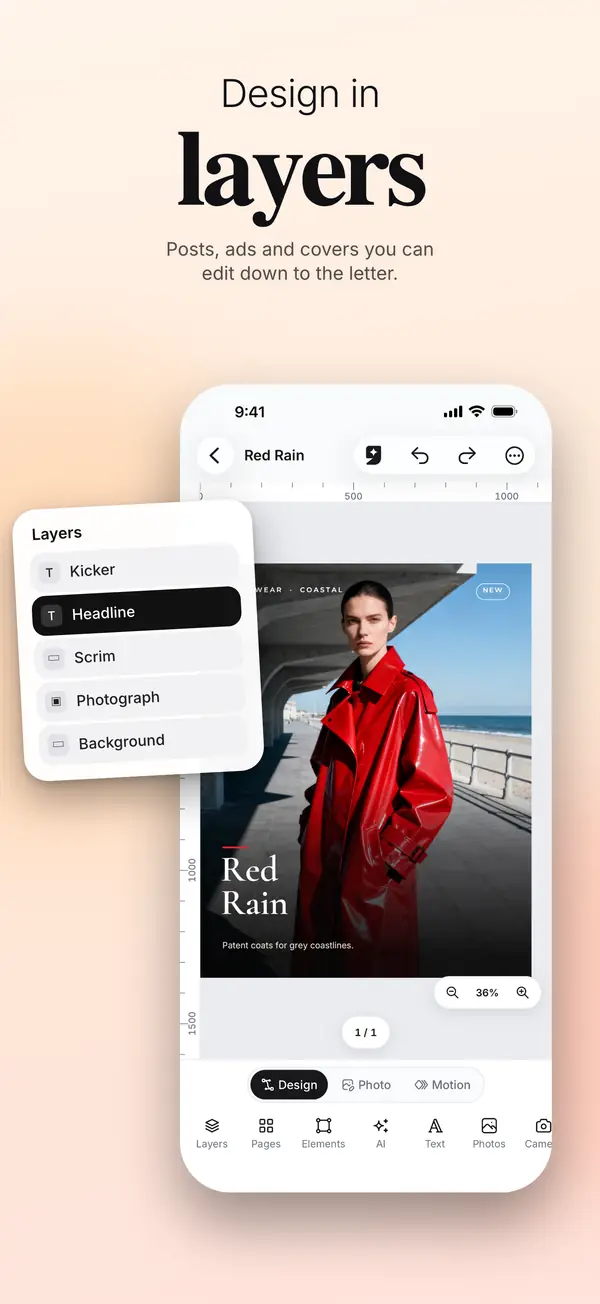
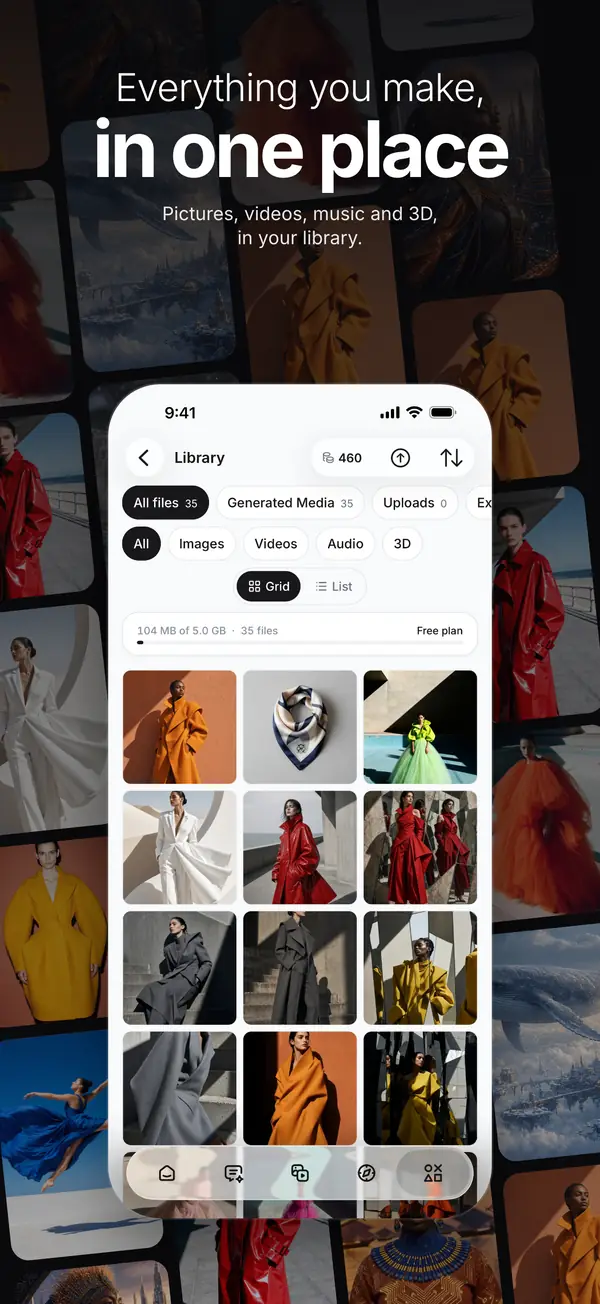
The Image Composer and the Library, drawn natively on top of the same projects and files you have on the web.
Sharing code without breaking it
On the web, everything that isn't interface lives in a shared library, and the app uses more than two hundred of those modules straight from the same source. To keep that honest, a test walks through everything the app imports and fails the build if any of it starts depending on a browser, a server or Next.js. That way the sharing can't quietly fall apart.
| What | Shared with the web | The phone's own |
|---|---|---|
| Projects | Document format, codecs, saving rules | Skia drawing and gestures |
| Generation | Model catalog, pricing, durable jobs | Where results land on screen |
| Genvi Agent | Session, tools, consent rule | The editors' tool bindings |
| Billing | Credit ledger and plan rules | App Store and Google Play checkout |
| Explore | Recipes, moderation, reports | Feed and post screens |
The agent, in your pocket
Genvi Agent on your phone is the same agent you use on the web: same conversation, same tools for the Image and Video Composers, and the same rule that it asks before spending your credits. The phone just provides your sign-in and its own editors for the agent to work in. Anything the agent changes is a normal edit, so undo works on it like anything else.
Store billing, one balance
In the app, plans and credit packs go through the App Store and Google Play, priced the same as on genvi.co. When you buy something, the store tells our server, and it lands in the same credit balance a web purchase would. One balance per account, no matter where you topped it up.
If you already subscribe on genvi.co, the app shows your plan and won't offer you another. And when the app opens a genvi.co page, the site hides the web's payment options, which is what both stores ask for.
Safety
Before your first generation, the app asks if you're okay with your prompt and files going to the AI provider that runs the model, and tells you who those providers are. Nothing gets sent until you agree.
Every prompt is checked before anything is made, and so is everything shared to Explore. If a share can't be checked right then, it waits instead of going out unchecked. You can report any post with a reason, hide it from your feed or block the person who made it, and you can report anything genvi makes for you, too.
Notifications
The app can let you know when a generation is ready, or when one didn't work out, which is handy for videos that take a few minutes. There are three switches: Generations, Credits and account, and Tips and offers. Tips and offers stays off unless you turn it on, and it never buzzes you at night.
If you build on the genvi API
The apps use the same /api/v1 and the same credits as everything else, so whatever your integration makes shows up in your users' app too. Links to genvi.co/auth/confirm and genvi.co/invite/ open the app when it's installed. There's more in the guide.
What's next
Node Studio, 3D Studio and the Whiteboard are staying on genvi.co for now, and the app opens them there. For the next few releases we're paying close attention to crash reports, reviews and what you tell us, and fixing whatever gets in your way first. You'll find the app's release notes on the same page as the web's.
All release notes: genvi.co/releases.